Best Data Loss Prevention Software (Free and Paid) for 2022

Are you looking for best Data Loss Prevention Software?
In this article, we will review the 10 best Data Loss Prevention Software vendors.
Nowadays, it is imperative to have a data loss prevention policy in place at your company. It encompasses data loss prevention tools, intrusion prevention systems, system information, endpoint protection, and anti-malware systems. Data prevention software is designed to protect corporate and individual computer networks from the loss or deletion of essential data.
There are many data protection software that have the ability to run in the background without your knowledge. They perform preventive maintenance checks on your computer that prevents data loss, viruses, and hackers from corrupting important files on your computer.
What is Data Loss Prevention (DLP)?
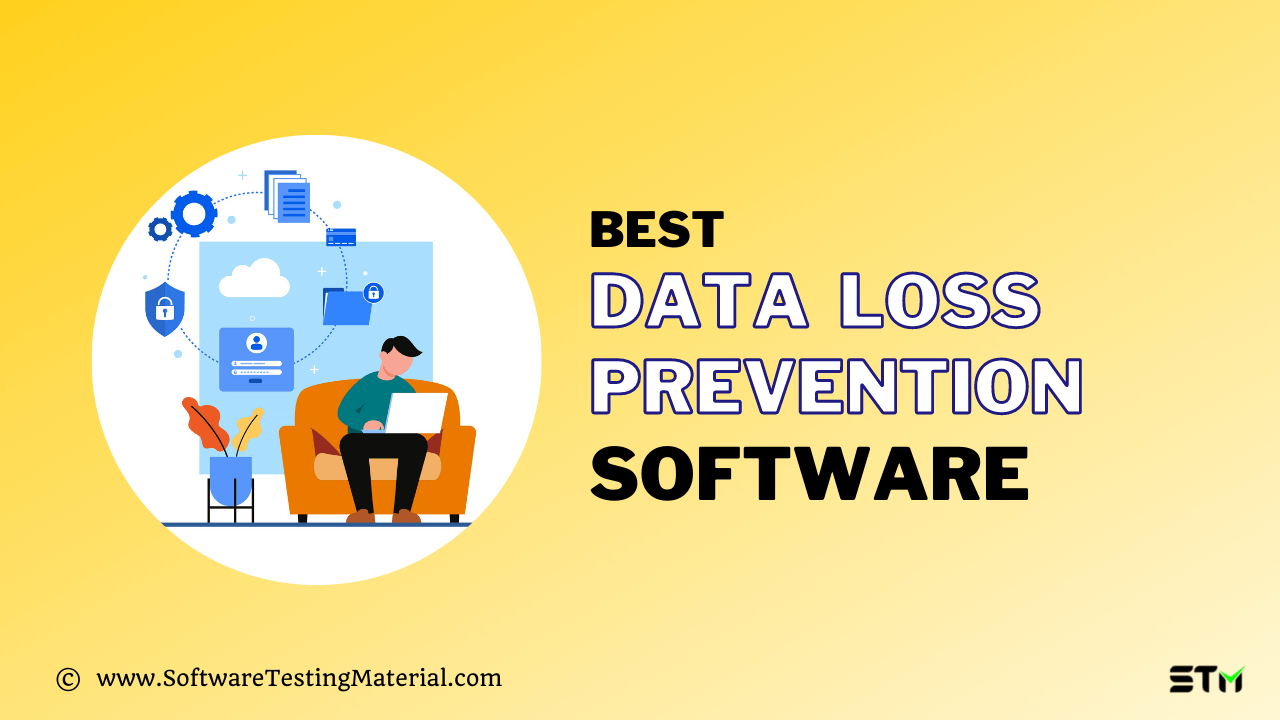
Data loss prevention (DLP) is a set of tools used to make sure that critical data is not lost, misused, or accessed by any unauthorized source. DLP tool classifies regulated, confidential, and business-critical data and identifies violations of policies defined by organizations or within predefined policies, which is taken care of by regulatory compliance like HIPAA, PCI-DSS, or GDPR.
Once DLP software finds any policy violations, it enforces remediation with alerts, encryption, and other protective measures to prevent end-users from maliciously sharing data that could put your company at risk.
What is Data Loss Prevention Software?
Data loss prevention (DLP) software, also known as data leak prevention software. DLP tools are used to secure, control and ensure compliance of sensitive business information. These tools provides data security by enforcing company policies that determine who can view, change, or share sensitive data. It secures data by identifying sensitive data, classifying it, and monitoring its usage. In case of data misuse, it takes actions by preventing user access and actions, alerting administrators, quarantining suspicious files, encrypting data, or taking other actions to remediate when necessary.
Data loss prevention software actively monitors for potential data ex-filtration attacks/data leaks and prevents them before they happen by scanning, detecting, and blocking all sensitive data even while in active use, in transit, and even at rest. These programs are able to recognize corrupted files and file types, track down the location of the infected files, and notify the user about the presence of such files.
Why use DLP Software?
Organizations use DLP software to protect their sensitive data. Employees use devices, such as mobile phones and laptops to access both on-premises and cloud-based company applications. Because of this ability to access company’s data while not physically present in the office, organizations’ data security strategies must be air-tight to avoid any malicious breaches. DLP software help companies to utilize a data-centric security strategy that secures the data and traditional network-centric security strategies which secure the perimeter, such as a network. This is particularly helpful for organizations that allow employees to bring their own devices to use for work.
DLP software can reduce the expense of recovery in case of any data breach, especially if the breached data was not sensitive data or was encrypted, rendering it useless to other parties without the encryption keys. Companies may also be able to reduce their cyber liability insurance premiums by using data security software such as DLP software.
The main reasons companies use data loss prevention (DLP) software include:
- Protect sensitive data — Sensitive data is valuable to companies, and therefore it is also beneficial to hackers. Companies protect their sensitive data, such as personally identifiable information (PII) like social security numbers, intellectual property (IP) such as source codes or product development maps, and other sensitive data like financial data or customer data.
- Prevent data leaks — DLP software prevents accidental or wilful data leaks caused by employees or insider threats.
- Prevent data loss — It prevents data loss by preventing users from deleting files they do not have permission to.
- Detect data breaches — DLP software can alert administrators to suspicious activity and stop data ex-filtration attempts or data breaches currently in progress.
- Understand data usage — Sensitive data is stored in multiple databases, both on-premises and in the cloud, applications, other systems, networks, and endpoints. DLP software finds business sensitive data and monitors it. It gives organizations visibility into how their data is used. This information can provide key insights into a business’s data strategy.
What factors to consider while choosing Data Loss Prevention Software?
There are several things companies should take into account when buying DLP software, including-
- type of data you want to protect,
- consider the deployment timeframe
- it must-have features such as Content inspection and Contextual scanning of data, Compliance, Encryption, Management, and so on,
- ease of use
- check if there is some kind of training required
- how the data should be protected, and
- price of the software
Who Uses Data Loss Prevention (DLP) Software?
All organizations can benefit from using DLP software; however, enterprise-level companies in highly regulated industries such as health care, finance, manufacturing, energy, and government are the most likely to use DLP software. With the adoption of privacy regulations and data security into law, such as GDPR and the California Consumer Privacy Act (CCPA), more companies can benefit from DLP software. These people use DLP software:
- IT teams — Some IT teams may be responsible for administering DLP software.
- C-suite — C-level executives like CEOs and CMOs use DLP software to protect intellectual property (IP) and protect the value of the brand by securing customers’ personally identifiable information or other sensitive data.
- Everyday employees — Everyday employees may encounter DLP software if they try to share sensitive data, which is not allowed by their company’s policy.
Difference: Data At Rest Vs. Data In Motion
Depending on the movement of data, it can be found in the following states:
- Data At Rest
- Data In Use
- Data In Motion
Data at rest is the data stored on devices. It can not be transferred from device to device or network to network. For example, data stored locally on computer hard drives archived in databases, file systems, and so on.
On the other hand, data in motion is data moving from one location to another. The movement can be between computers, from an endpoint to cloud storage, or through a private/public network.
Data Loss Prevention Best Practices
Identify and monitor sensitive data
Companies must identify the type of sensitive data they collect, where it is stored, and how employees are using it. Data loss prevention software includes predefined profiles for sensitive data while also allowing businesses to define new profiles according to their own needs.
Implement a cross-platform DLP alternative
Because of to increasing use of Bring Your Own Device (BYOD) and Choose Your Own Device (CYOD) policies, many enterprise networks are no longer running on a single operating system. MacOS and Linux OS should be taken into consideration while choosing DLP software. After all, while macOS and Linux OS might be considered at a reduced risk from an outside attack compared to those using Windows due to their architecture, human error impacts them all equally.
Establish policies and examine them
To restrain the sensitive data identified, DLP tools offer companies a wide array of pre-configured rules and security policies that can be enforced across the corporate community. These may block confidential information like credit card numbers, social security numbers, or other private data from being transferred via possibly unsecured channels like messaging apps, file-sharing, or cloud storage services.
Establish a remote work plan for DLP
It essential for companies to set up a remote work policy that includes endpoint DLP software. It will work outside the company network and whether a device is online or offline, so data is continually protected, no matter where the computer of the company is physically present.
What is Data Loss Prevention Policy?
A data loss prevention policy refers to how companies can share and protect data. This set of policies guide how data can be used in decision-making without exposing it to those who should not have access to it.
What is DLP Alert?
DLP alert systems are designed for detecting various threats and vulnerabilities and for alerting users about them.
List of Data Loss Prevention Tools
The main details of each tool are listed below, but if you’re in a hurry, here’s a quick list of the best DLP Tools.
If you’d like to see our in-depth analysis, keep reading.
#1. Endpoint Protector

Best for midsize to enterprise-level businesses. Endpoint Protector is a complete DLP Solution.
Endpoint Protector by CoSoSys is a comprehensive all-in-one Data Loss Prevention (DLP) solution for Windows, iOS, and Linux operating systems, Thin Clients, and Desktop-based Systems. It is one of the leading endpoint DLP that can discover, monitor, and protect your sensitive data.
The software utilizes industry-standard protocols to prevent data loss caused by malicious software, such as viruses, malware, spyware, and intrusion attempts. It can also block a variety of data that are unwanted or unauthorized by controlling access to files, directories, and web services.
Endpoint Protector offers content filtering capabilities for both data at rest and in motion, range from predefined content based on dictionaries, regular expressions, and machine learning to profiles for data protection regulations such as GDPR, HIPAA, PCI DSS, CCPA, etc.
It is available for both home and office use. It also comes with online tech support that offers immediate answers to common questions regarding the product and services.
Features:
- Users can perform content inspection and contextual scanning of data for applications like Outlook, Dropbox, Skype, etc.
- An easy-to-use interface and drag-and-drop functionality make it easy for end-users to use this program.
- You can prevent data leakage through all possible exit points such as clipboards, screen captures, USB devices, and so on.
- It also prevents data breaches by scanning and identifying sensitive data at the endpoint level on Windows, macOS, and Linux computers.
Verdict: This tool provides various features such as Device Control, Content Aware Protection, and eDiscovery for platforms like Windows, Mac, and Linux.
Pricing: Request pricing for Endpoint Protector. You can also get a free demo on request.
#2. Symantec DLP
Best for enterprise businesses.
Symantec’s Data Loss Prevention (DLP) by Broadcom discovers, monitors, and protects sensitive data across cloud apps, endpoints, networks, and data centers. With this solution, organizations are able to keep their data safe from accidental, negligent, and malicious loss. It provides a set of information protection capabilities powered by data loss prevention technology in order to give you more visibility as well as control over your confidential data.
Symantec DLP offers complete security solutions for your company through a comprehensive range of highly secure components. These highly secure components include DLP Security Center, a single point application that helps you manage and secure the complete lifecycle of your enterprise networking.
Symantec DLP provides proactive protection to combat external threats, preventing the incidence of data loss prevention. When combined with other comprehensive security solutions, it can assist you in preventing data leaks, hacks, malware attacks, and unauthorized access to your company’s confidential data. Its comprehensive security features can also provide your company with a unique threat management solution.
Features:
- It gives you the flexibility to fine-tune policies to balance security and end-user productivity.
- This software can block, quarantine, and alert in real-time, and that will prevent data leakage.
- It provides added file protection for sensitive documents that are stored and shared on Box.
- Symantec DLP provides complete data protection from all threats, including viruses, malware, and hackers.
- Automatically controls DLP policies to protect data loss prevention.
- Its Centric Analytics feature will let you prioritize risky behavior and identify malicious users and hence offers a better way to handle and respond to breaches.
Verdict: The security solutions offered by Symantec help companies prevent, detect, and respond to attacks against their servers. With this tool, you can ensure that your business data is safe and secure at all times. It offers functions like data discovery, monitoring, and protection for a variety of regulations like GDPR, PCI, HIPAA, and SOX.
Pricing: Contact them for a quote. It will cost you around $72.99 for one license.
#3. McAfee DLP

Best for small, medium, and large businesses
McAfee Data Loss Prevention software protects your data using a combination of powerful encryption, access control, and user-behavior monitoring. It is the most comprehensive and powerful malware protection program available today. It provides complete protection against viruses, spyware, adware, and other threats.
McAfee DLP security provides several types of policies for controlling access to sensitive data. Policies can block access to certain directories, folders, and files while keeping other categories accessible. Each policy can be customized to suit the needs of an organization.
It offers a full suite of data loss prevention services like McAfee DLP Discover, McAfee DLP Prevent, McAfee DLP Monitor, and McAfee DLP Endpoint.
Features:
- It protects intellectual property and business information on the network, in the cloud, and at the endpoints.
- Users can ensure compliance and safeguard personal data with automated reporting.
- It gives you visibility over how the data is used and how it gets leaked.
- This tool manages all DLP violations and reporting with the help of MVISION ePO, regardless of whether the violations are coming from corporate devices or cloud applications.
- Its data classification feature can identify and classify data.
Verdict: It is one of the best DLP to encrypt, redirect, quarantine, or block data transmissions that are in violation of policies. With this tool, users can leverage a common policy engine across endpoints, networks, and cloud. There’s no need to create new policies in order to protect the same data in distinct environments.
Pricing: Request pricing for McAfee DLP. You can also get a free demo on request.
#4. Forcepoint DLP

Best for small business and large enterprises.
Forcepoint Data Loss Prevention addresses human-centric risk with full visibility and full control anywhere in your data and people live. It accelerates your compliance efforts by combining pre-packaged global regulations with central control across your IT environment. This tool secures sensitive business information and regulated data so you can confidently prove ongoing compliance.
Forcepoint DLP has a predefined policy library where you can view and control all your data. Forcepoint allows you to protect PII and PHI, company’s critical data, trade secrets, credit card data, and so on.
Features:
- Users can see and control all their data with the industry’s largest predefined policy library.
- It offers regulatory compliance across 80+ countries for GDPR, CCPA, and so on.
- It offers features such as native behavioral analytics and risk-based policy enforcement.
- It can stop slow data theft even if the user is off-network.
- It automatically blocks all the actions based on an individual user’s risk level with risk-adaptive data protection.
- You can deploy data classification with Boldon James and Azure Information Protection.
Verdict: With its simple and inexpensive setup, Forcepoint can help protect all types of data, including those of small or medium business enterprises, government agencies, healthcare facilities, schools, colleges, and even your home computer. It’s powerful, easy-to-use wizards and simplified recovery policy make this a simple solution to a complex problem. It offers simple to set up and easy recovery if a loss occurs, so businesses and homes don’t have to worry about wasting time or money on complicated data recovery tasks.
Pricing: Request pricing for Forcepoint DLP. You can also request a free trial.
#5. SecureTrust Data Loss Prevention
Best for businesses of all industries that have minimal DLP experience.
SecureTrust Data Loss Prevention prevents unauthorized access, modification, or destruction of data in storage, online, offline, or at any other location to ensure regulatory compliance and prevent attacks. It is designed for companies that have IT personnel whose responsibility is to ensure the organization’s information systems are safe from unauthorized access, modification, and destruction. In short, this is a suite of products that work together to provide enterprise-wide solutions for mitigating threats and improving the enterprise’s security.
It offers the best PCI consulting and compliance validation services. SecureTrust can assist you in measuring your compliance maturity and strengthen your security. It also identifies areas where your teams are stretched thin, as well as where your company might be overinvested.
Features:
- It blocks HTTP, HTTPS, and FTP protocols that violate compliance policies automatically.
- It scans all channels of communication for privacy violations. These channels are file transfer applications, email, chat apps, file-sharing systems, social media, and so on.
- It integrates with Clearswift SIEM tool for more comprehensive network security.
- This tool enables scanning across multiple channels to monitor for inappropriate file access.
- Its features also include Advanced Content Control, Investigation Management, and Real-Time identity match.
Verdict: It is one of the leading compliance risks for enterprises that can safeguard your business by assessing your compliance maturity and showing security strengths as well as weaknesses. SecureTrust’s technology will keep all your operations running smoothly, at the same time, secure your sensitive data.
Pricing: Request pricing for Secure Trust Data Loss Prevention.
#6. Digital Guardian
Best for large enterprises.
It is industry’s only SaaS solution for Enterprise DLP. Digital Guardian offers the software on both the end-user side and corporate networks, servers, applications, and the internet. It detects threats and stops data ex-filtration from both well-meaning, malicious insiders and external adversaries.
Digital Guardian can communicate with Windows, Mac OS, and Linux, and its tracking capabilities extend out to cloud resources.
It provides end-users with complete data protection while also making it easy for businesses to make their own companies more visible online. Businesses that choose to buy this software will have greater visibility online to potential clients. This is achieved through the encryption of sensitive business information. Encryption key technology is at the heart of Digital Guardian. Anyone with a digital security code can be matched with an email address, and only those with that email can have access to that person’s private data.
Features:
- It offers an unknown risk policy that will tell you where the sensitive data is, how it flows, and where it can be at risk without having policies.
- It enables quick deployment and on-demand scalability while offering full data visibility and no-compromise protection.
- This tool also provides content, user, and context-based data discovery and classification.
- It provides coverage for Windows, macOS, or Linux operating systems and all your applications, both browser-based and native.
- This tool is suitable for the protection of intellectual property as well as personal information.
- AWS powers Digital Guardian.
Verdict: With Digital Guardian, you can locate, understand, and protect your sensitive data. You can get Get full coverage at the endpoint, on the network, and in the cloud. They allow you to quickly identify threats to your enterprise’s systems and fine-tune your existing systems for future security. Digital Guardian customers can also take advantage of their reporting and management tools to discover weak spots in their network and discover ways to strengthen security.
Pricing: Request pricing for Digital Guardian DLP. You can schedule a demo from them.
#7. Trend Micro IDLP

Trend Micro IDLP is a preferred choice among network security providers for its ease of use, high-quality performance, and unmatched effectiveness in detecting and preventing malware and other threats. It provides an integrated DLP solution that will let users implement controls for protection, visibility, and enforcement.
With Trend Micro Deep Discovery, network security providers can anticipate any attack on their systems and provide a rapid response that will keep their business running smoothly. Deep Inspection offers you the network-wide monitoring, detailed analysis, and quick response you require to combat targeted attacks and APTs.
Integrated DLP is available with Trend Micro endpoint, SaaS, messaging, and network security solutions.
Features:
- It minimizes data security complications and costs by integrating DLP functions directly into your existing Trend Micro solutions and management consoles.
- You can deploy data security for less cost and time than traditional enterprise DLP solutions.
- Users can automate the response to policy violations with various options like block, encrypt, alerts, modify, bypass, or delete data.
- It supports a number of functions, including Shared Address Guarding, Static Protection, Policy-Based Protection, Less invasive Protection, and Unauthorized access Prevention.
- This software gives you visibility and control of data —whether it’s in email, messaging app, SaaS applications, and other protocols like FTP, HTTP, HTTPS, and SMTP.
Verdict: It is a multi-layer solution that provides the broadest range of threat and data protection across endpoints, email, web, cloud storage, SaaS applications, and mobile devices. Trend Micro IDLP can also recognize and process over 300 files such as email and office applications, programming languages, graphics, and compressed or archived files.
Pricing: Request pricing for Trend Micro IDLP.
#8. Sophos

Best for small to large businesses.
Sophos is another great data loss prevention software that minimizes the risks of corporate data being lost from the company’s network. This software is fully integrated to share information in real-time, providing a unified, coordinated defense.
It simplifies the task of securing desktops, laptops, mobile devices, and various file servers against unknown threats, as well as protecting your company against accidental data loss. It offers an automated Console from where users can deploy, update, and report on endpoint protection.
Features:
- It offers security for more than 25 platforms, including Windows, Mac OS X, Linux, UNIX, NetWare, NetApp Storage Systems, and Windows Mobile.
- This tool protects your sensitive information from an accidental leak through removable devices, internet applications, or email.
- It offers the feature of Granular control of removable storage devices that allows users control of specific devices, enforce encrypted devices use, or enable read-only access.
- Its DLP policy will be triggered in cases such as copying content to removable devices, uploading content to web-browsers, or sending emails.
- Sophos offers simple and effective protection for your data within your existing budget.
Verdict: This software protect your company from viruses, spyware, ransomware, rootkits, and potentially unwanted applications (PUAs). It also allows users to control the use of unauthorized software like VoIP, Instant Messaging, and peer-to-peer file sharing, monitor the transfer of critical data, and prevent users from accessing infected websites.
Pricing: Request pricing for Sophos. It comes with 30 day Free trial and a demo on request.
#9. Code42

Best for small to large businesses.
Code42 is another excellent data loss prevention software. It speeds the time taken to detect and respond to data risk from insider threats. It stops insider threats without disrupting legitimate work by detecting how data is being used and shared across computers, the cloud, and email.
It offers visibility into off-network actions like web uploads and cloud sync apps. This software can quickly detect, investigate, and respond to data ex-filtration by employees.
Features:
- Its Incydr feature protects all your IP (source code, customer data, product roadmaps, and so on) without overwhelming security/IT teams or inhibiting employee productivity.
- Detect and respond to data leakage quickly from the corporate cloud, email, and computer systems.
- It offers activity alerts based on file type, size, or count.
Verdict: Code42 provides risk detection lenses to help you focus on the largest insider threat scenarios affecting your organization. You can deploy and be up and running in just a couple of weeks.
Pricing: Request pricing for Code42.
#10. Check Point

Best for small, medium, and large businesses, service providers, and consumers.
Check Point Data Loss Prevention (DLP) combines technology and processes to revolutionize DLP, helping businesses to protect sensitive data from loss, educating users on proper data handling policies, and helping them to remediate incidents in real-time.
It is integrated with Check Point Next Generation Firewalls (NGFW), network DLP and enables businesses to check data movement and assists your employees to work with more confidence while not breaking regulations and industry standards.
Check Point DLP also offers advanced reporting and analytical abilities that can help determine whether the causes of attacks are logical or physical. It also helps manage the incident quickly and recover damaged or stolen data more effectively.
Features:
- You can track and control any type of sensitive data in motion, like email, web browsing, and file-sharing services.
- The software manages all the devices and software on your network and makes them accessible through a single point of contact.
- It trains and alerts end-users on data handling without involving IT professionals and allows for real-time user remediation.
- It provides 500+ predefined data types.
- This tool scan and secures SSL/TLS encrypted traffic that is passing through a gateway.
- It offers seamless integration with SmartEvent, enabling users to monitor and report.
Verdict: Check Point DLP is a flexible, industry-standard method for tagging and managing enterprise resources. It is designed for easy deployment, high scalability, and ease of use. This tool addresses a wide range of common business applications while providing businesses with the ability to make the most of their technology.
Pricing: Request pricing for Check Point DLP. It offers a free trial. You can also request a free demo.
Conclusion
In today’s competitive marketplace, businesses must be very careful of their expenditures. A simple mistake in data loss prevention can easily cost you tens of thousands of dollars in damages. Fortunately, there are very effective and affordable Data Loss Prevention DLP Solutions available to help businesses reduce their expenses. Rather than trying to perform everything on your own, many companies are turning to DLP software. These were some of the best data loss prevention software available in the market.
Related posts:
- Best Device Control Software
- Learn How To Secure Business Data With Endpoint Protector USB Enforced Encryption
- Best Digital Guardian DLP
- Best Forcepoint DLP Alternatives
- Best Mcafee DLP Alternatives
- Best Symantec DLP Alternatives